
Mailoplex Server · Groupware for businesses
Work like you do with Exchange.
Run from Cologne.
Email, calendar, contacts and tasks for your whole team. Outlook and smartphones connect as usual, without a Microsoft server licence and without relearning. Setup, operation and support are provided by INFONET Computer GmbH.
Why now
Exchange 2016 and 2019 no longer receive security updates
Microsoft ended support for Exchange Server 2016 and 2019 on 14 October 2025. The paid programme for extended security updates expired on 14 April 2026. An on-premises Exchange server is reachable from the internet – without updates it is a favoured target.
Exchange Server 2016 and 2019: no more regular updates
The extended security updates (ESU) have expired as well
Outlook stays, the server moves to Germany, we take care of operation
What stays
- Outlook for Windows and Mac and the mail apps on your phones
- Your domain and every email address
- Shared mailboxes, shared calendars and permissions
- Your emails, calendars and contacts – we move them for you
What goes
- Your own Exchange server with updates, certificates and backup – we handle that
- The Exchange server licence or the Microsoft 365 mailbox
- Dependence on an American cloud provider
Outlook itself still needs a licence, for example from Microsoft 365 Apps or Office.
Features
Everything you used to need Exchange for
Mailoplex Server replaces your own Exchange server or your Microsoft 365 mailbox. Your staff keep working with the same programs.
All features in detailOutlook without changes
Outlook for Windows and Mac connects directly, with folders, rules, out-of-office and search. No add-on needed.
Mailoplex Web
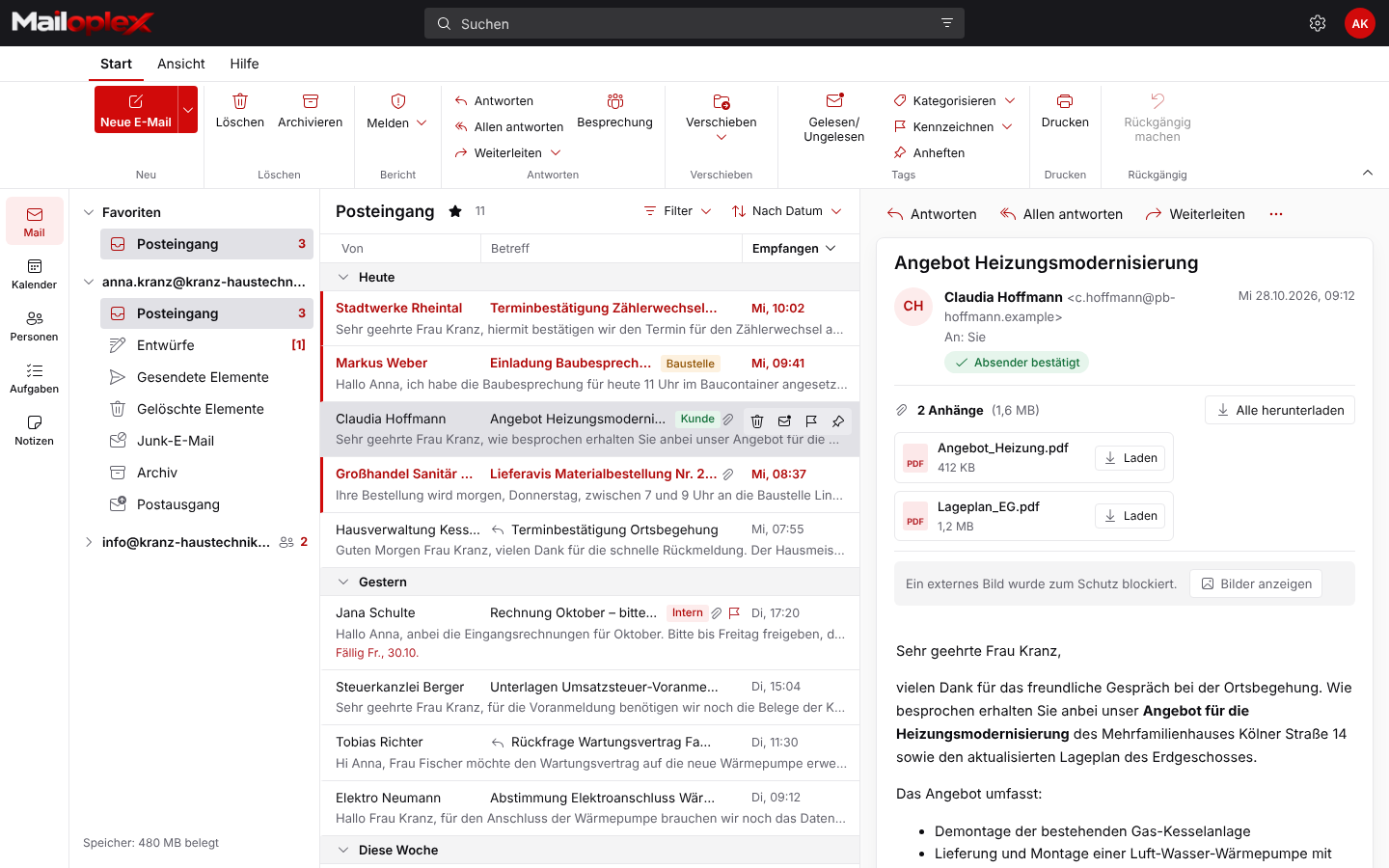
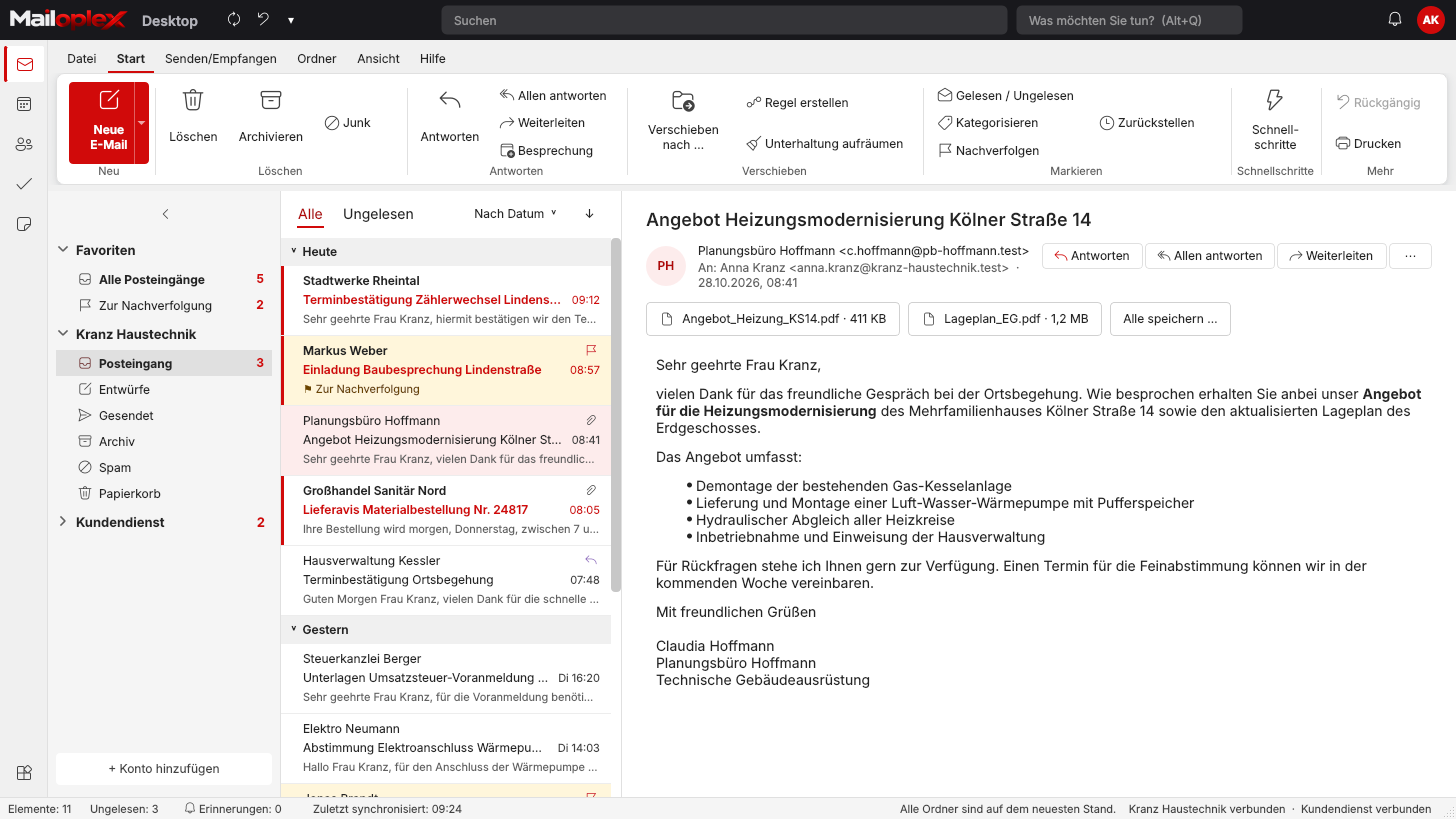
Webmail in the browser is laid out like Outlook on the web. Every button is labelled and attachments sit above the message.
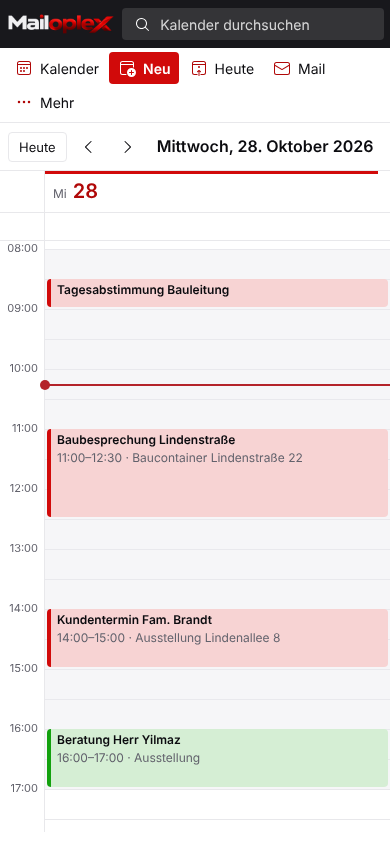
Shared calendars
Schedule appointments, book meeting rooms and see colleagues’ availability. Invitations also work with external partners.
Shared mailboxes
info@, accounts@ or sales@ for several people. With permissions per person and “Send as” or “Send on behalf of”.
Smartphone and tablet
iPhone and Android sync email, calendar and contacts via ActiveSync. If lost, the device can be wiped remotely.
Admin console
Manage users, domains, distribution lists and storage yourself in the customer portal. Or leave it to us.
Tour
How your team works with Mailoplex Web
Real views from Mailoplex Web and the admin console. Choose an area.
- Shared mailboxes right in the folder list
- Ribbon with labelled buttons
- Categories, flags, pinning
- Storage usage always visible
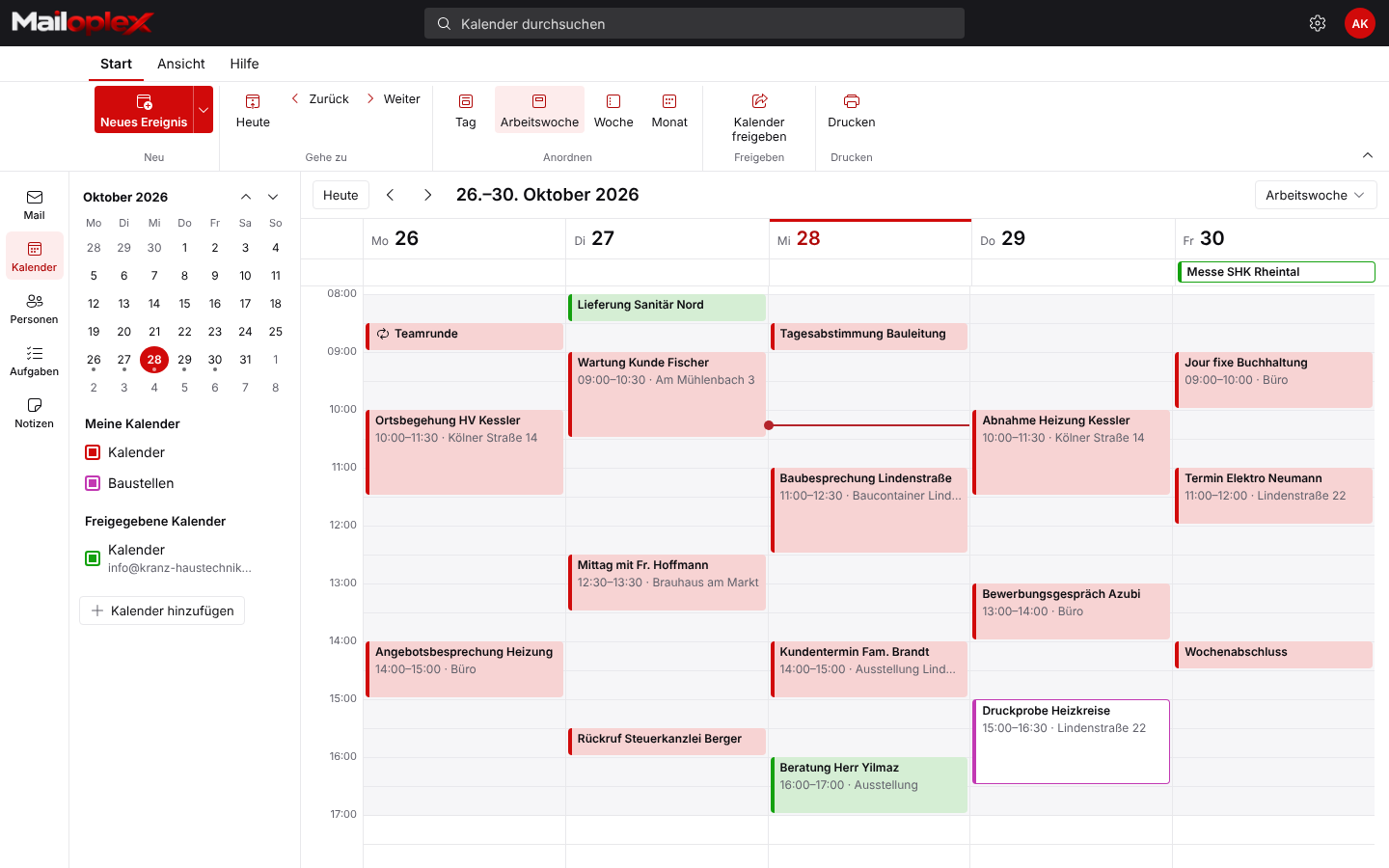
- Day, work week, week, month
- Show colleagues’ and shared mailboxes’ calendars
- Share a calendar with one click
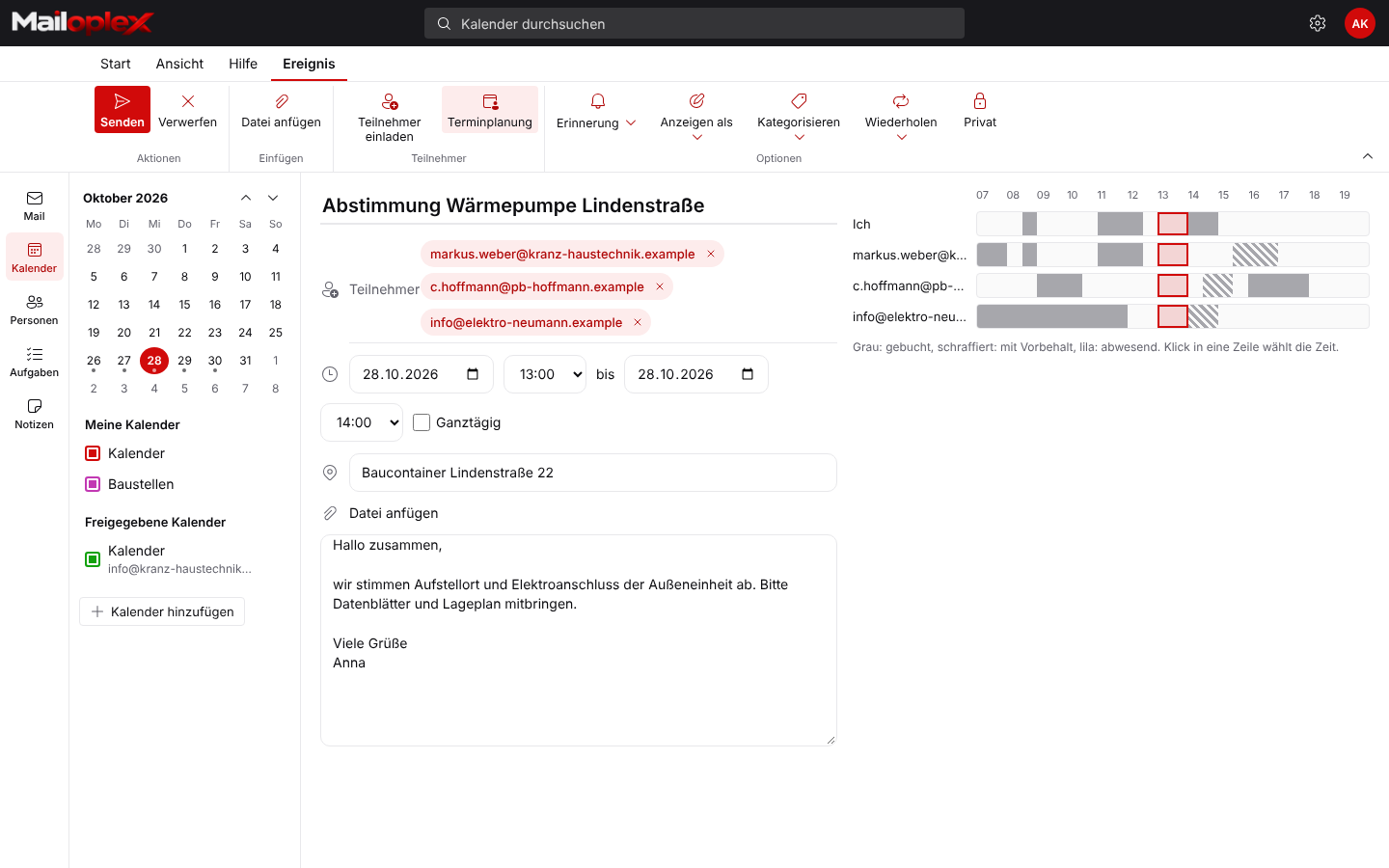
- Every attendee’s availability on a timeline
- Reminders, recurring appointments, mark as private
- Track acceptances and declines
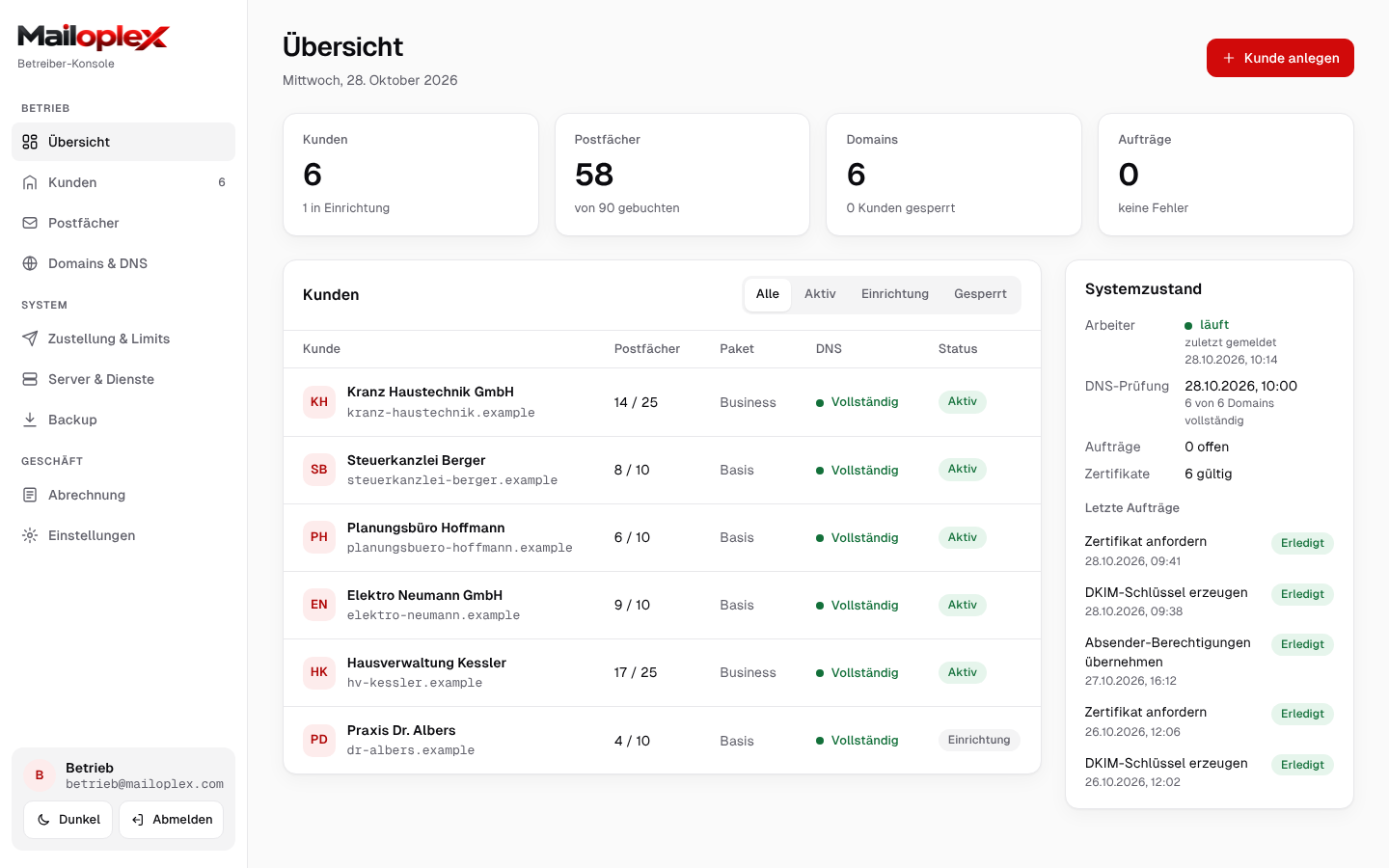
- Create mailboxes and domains
- DNS check for SPF, DKIM and DMARC
- Certificates and system health at a glance
For everyday business
The little things that make the difference in the office
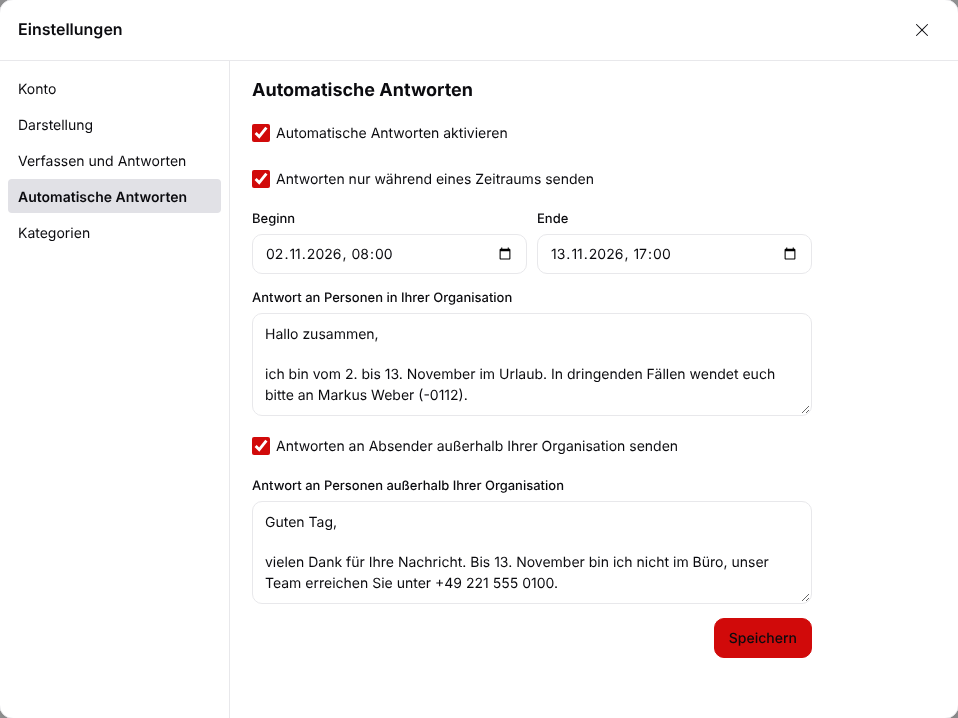
Out-of-office reply with date range
Separate replies for colleagues and for customers. With start and end date, so nobody forgets to switch it off.
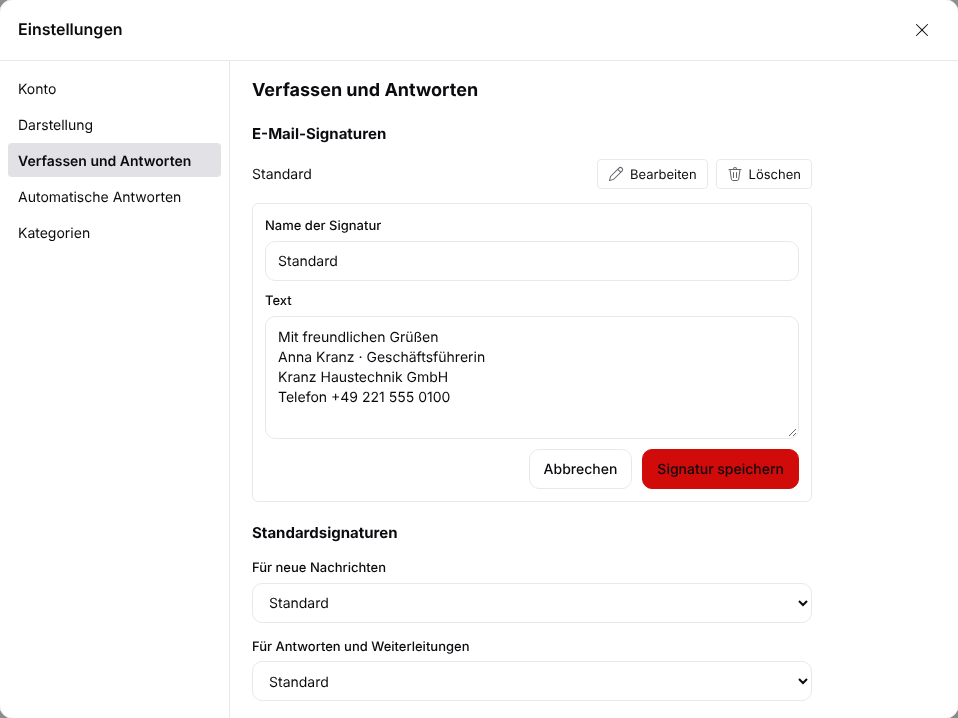
Signatures for new emails and replies
Several signatures per person, separate for new messages and replies. Central company signatures follow with the Signum module.
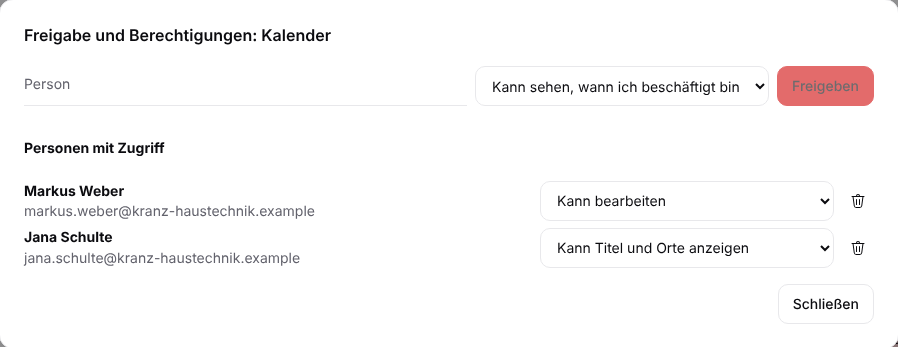
Share calendars selectively
You decide who only sees “busy”, who can read details and who can add appointments. Ideal for assistants and team leads.
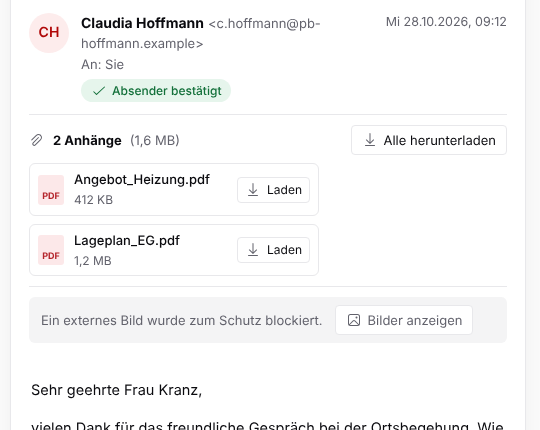
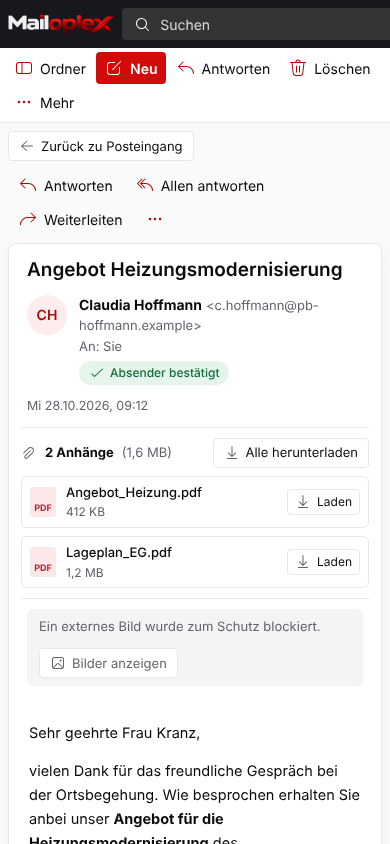
Attachments on top, tracking blocked
Quotes and plans sit above the text and can be downloaded one by one or all at once. External images stay blocked until you allow them.
Mobile access
On the move: on site, at the customer’s, working from home
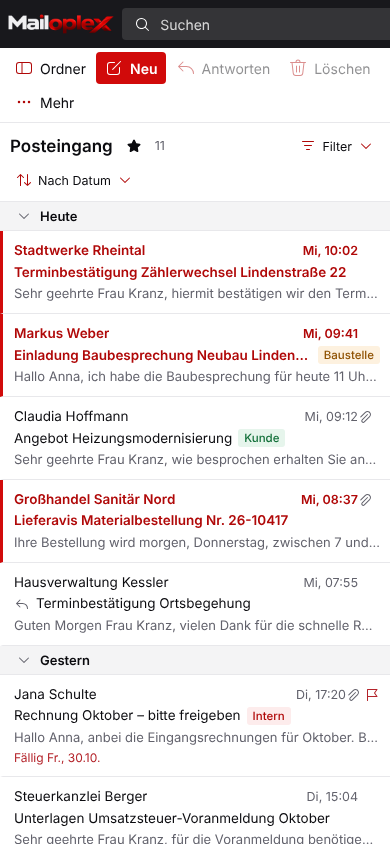
Mailoplex Web adapts to any screen. In the smartphone browser you read and answer emails and see your appointments, without an app. If you prefer the built-in mail app on iPhone or Android, connect it via ActiveSync.
In the browser, no installationSimply open mail.mailoplex.com and sign in.
With the phone’s mail appEmail, calendar and contacts sync automatically.
Lost your device?Data on the phone can be wiped remotely.
Outlook & devices
Your programs stay, only the server changes
Mailoplex speaks the same protocols as Exchange. So the programs your team uses today will still work tomorrow.
Step-by-step setup| Program / device | Connection | What is synchronised |
|---|---|---|
| Outlook for Windows | MAPI/HTTP | Email, calendar, contacts, tasks, notes |
| Outlook for Mac | EWS | Email, calendar, contacts |
| iPhone, iPad, Android | ActiveSync | Email, calendar, contacts, tasks |
| Mailoplex Web (browser) | HTTPS | Everything, no installation |
| Thunderbird, Apple Mail | IMAP · CalDAV · CardDAV | Email, calendar, contacts |
Servers located in GermanyRuns on servers in German data centres. Contact and contract in Cologne.
Encrypted transferAll connections use TLS, between devices and the server as well as to other mail servers.
SPF, DKIM and DMARCYour domains are set up properly, so your emails get delivered and nobody can send in your name.
Data processing under the GDPRYou receive a data processing agreement under Art. 28 GDPR.
Received: from mail.mailoplex.com
    by mailoplex.com with ESMTPS
    (TLS1.3 TLS_AES_256_GCM_SHA384)
DKIM-Signature: v=1; a=rsa-sha256;
    d=your-company.com; s=orv1;
Authentication-Results: mailoplex.com;
    spf=pass smtp.mailfrom=your-company.com;
    dkim=pass header.d=your-company.com;
    dmarc=pass (p=quarantine)
X-Mailoplex-Spam: score=0.4 / ok
Backup
Backed up every night, kept for a year
All mailboxes, calendars and settings are backed up every day. The backup is encrypted and stored separately from the mail server.
Versions from the last seven days
Versions from the last four weeks
Versions from the last twelve months
- Encrypted with AES-256 before the data leaves the server
- Separate storage location, so a server failure doesn’t affect the backup
- Restoring a complete mailbox is tested regularly
- You can usually restore individual deleted emails yourself from “Deleted Items”
Add-on modules
Extend it when you need to
The core server covers email and groupware. These modules extend it.
Add-on modules at a glanceConsistent company signatures for all staff, maintained centrally and added automatically, whatever device the email is sent from.
Audit-proof storage of all incoming and outgoing emails for the statutory retention periods, with full-text search.
Multi-stage filtering before the mailbox. Suspicious messages go to a quarantine you can review yourself.
Attachments and links are checked for malware before delivery. Anything found is blocked and reported.
Migration
From Exchange or Microsoft 365 to Mailoplex
We handle the migration of your mailboxes. Your team keeps working normally in the meantime.
How the migration worksReview
We record mailboxes, shared mailboxes, distribution lists and domains.
Test mailbox
You test Mailoplex with your own Outlook and smartphone before anything is switched over.
Transfer data
Emails, calendars and contacts are copied. Your old system stays active until the end.
Switch
We switch the DNS records and set up the devices. From then on, Mailoplex is your mail server.
Who is Mailoplex for?
For small and medium-sized businesses that work with Outlook and need shared calendars and shared mailboxes, but don’t want to run their own Exchange server or move to the Microsoft cloud.
Do I still need a Microsoft licence?
For Outlook itself, yes, for example from Microsoft 365 Apps or Office. You no longer need an Exchange licence or a Microsoft 365 mailbox.
Does the new Outlook for Windows work?
Not at the moment. Microsoft does not support Exchange servers outside Microsoft 365 in the new Outlook. Classic Outlook works fully and is still available.
Can I keep my email addresses?
Yes. Your domain and all addresses stay the same. Only the DNS records that point to the mail server change.
What happens to my old emails?
We transfer emails, folders, calendars and contacts from Exchange or Microsoft 365. Your old system keeps running until the switch-over.
Where are the servers?
In a data centre in Nuremberg, with backups also in Germany. Your contractual partner is INFONET Computer GmbH in Cologne.
How often is my data backed up?
Every night, encrypted and stored in a separate location. We keep daily versions for a week, weekly versions for a month and monthly versions for a year.
How much does Mailoplex cost?
Pricing depends on the number of mailboxes and the modules you book. Ask for a quote and we will come back with a concrete price.
Contact
Try Mailoplex with your own Outlook.
We set up a test mailbox and discuss prices for your number of mailboxes. Call or write to us.
Robert-Perthel-Str. 72, 50739 Köln, Germany