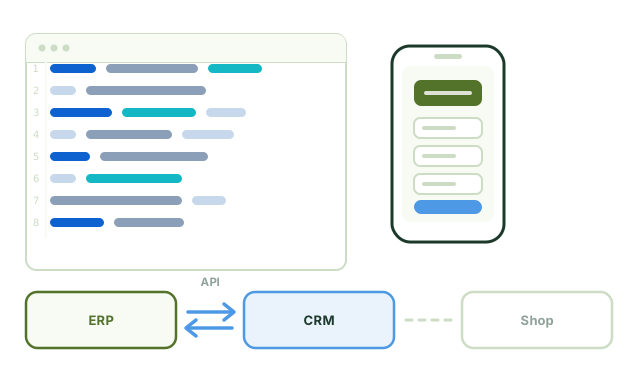
The quickest benefit rarely comes from a new program. It comes from the places where people type up, sort and search today. We build AI into the application you already use – or into our own products, where it is already at work.
No change of system needed Review threshold instead of blind trust Measurable hit rate Our own development for years
The starting point
The most expensive step is data entry, not analysis
Almost every business has a point where information moves from a document into an input screen: invoices, delivery notes, timesheets, forms. This work is unpopular, error-prone and rarely measured – which is why hardly anyone knows what it actually costs.
This is exactly where the technology is reliable today, provided two things are in place: a review threshold below which a person decides, and a measurement that shows how good the recognition really is. Without both, time saved turns into rework.
Because we develop software ourselves, we do not build the recognition as a separate tool next to your application but into the screen people actually work in. The difference sounds small, and it decides whether the tool gets used.
Built into the existing application and its interfaces – not as a second system alongside it.
Integrations
Four places where it pays off
Each of them can be introduced and measured on its own. The usual route starts with receipts and invoices, because that is where the time saved is easiest to prove.
Reading receipts and invoices
Invoice, delivery note, form: amount, date, number, tax rate and line items are recognised and written into the data entry screen. Every value gets a confidence score; anything below the threshold goes to the review list instead of into the books. The decisive part is not the recognition but the threshold – it determines whether someone saves time or ends up cleaning up afterwards.
Matching cases
Incoming messages and documents are assigned to the right property, project or account, even when the subject line and reference number are missing. A suggestion with its reasoning, confirmed with one click – and the corrections improve the next round.
Searching the archive
Questions to twenty years of filed documents, answered with the source. Without moving to a new document management system, and without anyone having to reinvent a folder structure that has grown over the years.
Template texts that know the case
Payment reminder, appointment confirmation, handover report – as a draft, filled in with the data of the open case. Nothing is sent until someone has checked it, and the draft saves exactly the part that is the same every time.
From our own development
Document recognition as we built it
In our property management software, document recognition runs as a separate service. The process shows why recognition alone is not enough – only checking the result against a fixed schema makes it usable.
Import
PDF or photo, even taken at an angle, even with several pages. The quality of the original has more influence on the result than the model does.
Recognise fields
Amount, date, tax rate, supplier, line items – each field with a confidence score. A field without a confidence score is worthless for further processing.
Check against the schema
Does the total add up? Is the tax rate right? Is the supplier known? Whatever does not add up does not go through. This check catches errors that a language model does not notice itself.
Suggestion for approval
A person confirms or corrects. The corrections are analysed – that is where you see which document types are still causing difficulties.
Approach
Four phases, each with a result you can check
The first phase is the most important: without measuring against your own documents, any claim about recognition quality is advertising.
Phase
What happens
What you have afterwards
Feasibility test
We take a batch of your real documents and measure the recognition field by field.
A hit rate per field and a reliable answer on whether it is worth it.
Integration
Connection to your application, setting the review threshold, setting up the review list.
Data entry with suggestions instead of typing.
Pilot
One department works with it; the corrections are analysed.
Figures on the actual time saved instead of an estimate.
Operation
Ongoing evaluation of recognition quality, adjustments if it drops.
A monthly metric instead of gut feeling.
The scope of the feasibility test – how many documents, which document types – is agreed in advance and invoiced at a fixed price.
Where the limit lies
Language models do not calculate, they estimate. That is why no total is ever produced by a model in our setup; it is calculated in the business application and checked against the recognised value. And: accounting and tax responsibility remains unchanged with you and your tax adviser. The review threshold is not small print, it is how the system is built: uncertain values are put in front of a person, not posted.
Frequently asked questions
Questions about adding AI to existing software
Does this work with our industry software?
If it has an interface, an accessible database or an import function, usually yes. We look at the application in the initial consultation. Where a vendor provides no interface, we say so rather than building a workaround that breaks with the next update.
Do we have to change our system?
No. We have always continued to support existing hardware and software rather than replacing it. The same applies to AI: the integration should make the work easier at the point where it happens today.
How accurate is the recognition?
That depends on your documents – clean PDF invoices score considerably higher than photographed receipts. That is why we do not quote a rate before we have measured it on your documents. That is exactly the purpose of the feasibility test.
Who is liable if a document is captured incorrectly?
Approval stays with you, and that is not a turn of phrase but how the system is built: uncertain values are not posted but put in front of a person. Accounting and tax responsibility remains unchanged with you and your tax adviser.
Do our documents go to an external service for this?
Only if you want them to. The recognition can run on a server in your own premises; for some document types a provider's model is more accurate. We tell you in advance which route sends which data where, and you decide – this also belongs in your record of processing activities under the GDPR.
What happens if recognition quality drops during operation?
It happens, for example when a supplier changes its invoice layout. That is why the rate is evaluated continuously and not only measured at acceptance. If it drops, we look at the document type concerned – that is part of operation.
After the test you have a figure for each field – and on that basis you decide whether the integration is worth it. The scope and price of the test are agreed in advance.
Mon–Fri 9 am–6 pmEmergency support outside these hours by arrangement
Your choice about external services
This website works without cookies, without tracking and without advertising networks. For one optional feature we embed content from an external provider. Doing so transfers your IP address to that provider – which only happens if you allow it.